Dental SEO Checklist
On-page SEO involves optimizing individual web pages to rank higher and earn more relevant traffic in search engines.
Still have questions?
Lorem ipsum dolor sit amet, consectetur adipiscing elit.
Unlock the full potential of your clinic with our comprehensive dental SEO checklist. Stay ahead of the competition and enhance your online visibility effortlessly.
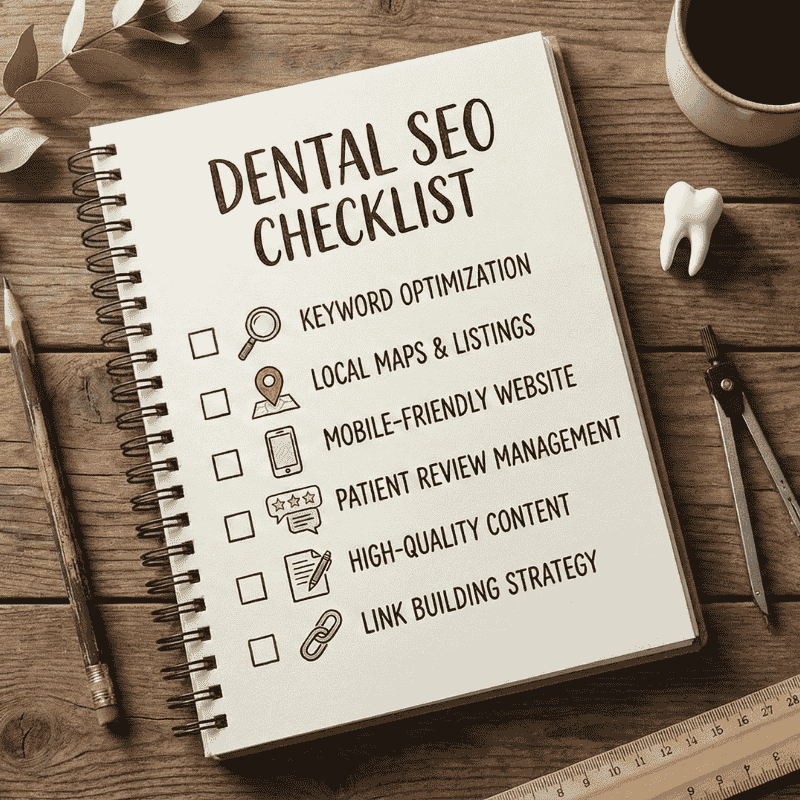
The checklist is designed to cover the foundational aspect of your Dental SEO, ensuring your business is fully optimized for search engines.
By following these steps, you can improve your site's visibility and drive more organic traffic.
No, SEO is more than just a checklist. To rank number 1, you will have to continuously improve your content, make sure to deliver the best UX on page, generate backlinks and consistently work on many more technical tasks. SEO is a full time job but these are some sneaky ways that can help your rankings
The template is for Dental clinics and Denture clinics wanting to deliver improvements to their business.
On-page SEO involves optimizing individual web pages to rank higher and earn more relevant traffic in search engines.
Lorem ipsum dolor sit amet, consectetur adipiscing elit.
Go on https://answerthepublic.com/ and find some high traffic questions you want to rank for. Then create an FAQ section at the bottom of your homepage
Google is wanting to make sure you are high quality and are willing to try and answer any questions your customers may have. And any question you add on there can actually rank you higher if someone puts that exact question into google
In your google my business profile go to your business description and type out or get ai to write a description don't just say “we are a family run dental clinic helping one smile at a time etc etc” google sees a million of those and lets be real. Nobody looks at google descriptions so why write it like someone is.
In reality google is the only one that will look so do this instead: first sentence include a keyword you want to rank for.
Ex: dental clinics in {{city}} or dental clinics near me. And then write a 750 character description including that keyword keeping the keyword density to 1-1.5%.
Make sure to add your location, hours, services you provide etc. google is looking to give the brownie points to whoever is the highest quality and most legit feeling business.
Go to: https://pagespeed.web.dev/ and run your website url through it. Anything that's red or yellow. FIX!!!
Google wants a high quality website that loads fast because google is basically referring to the person that's searching for you. Make it quick and easy to navigate!!
Implementing 301 redirects is essential when URLs change. It ensures visitors and search engines are directed to the correct new location. A 301 redirect permanently forwards one URL to another, preserving SEO value and maintaining a seamless user experience.
This doesn’t apply if your domain is created. If you are migrating your website to a new domain, 301 redirects are the best way.
Then, you can follow the steps in this video: Screaming Frog SEO Spider
This one's crucial. You need to respond to every review and maybe even slide a keyword or two into the response. But don't just do the same “thank you so much for your review {{name}} we are very happy you enjoyed yourself. And then copy and pasting that into each response. Google will just see that as robotic or that you are just doing it to do it. Copy and paste the review into chat gpt and tell it to respond if your lazy
Can you guess why??... google wants to see you as…. 👂…..the highest quality option for the person they’re referring to you. If it shows you are responding it shows you actually care and are improving or are just active in general. Sneaking some keywords into your responses gives you quite a few extra points though.
You can delete all unused classes from your site to reduce the weight of your site’s code and improve your site’s performance.
Most browsers use favicons to represent your website on browser tabs and in bookmarks.
⚠️The size of the icon is important. You will need to resize your icons to 32px for the Favicon and 256px for the Touch icon
Setting your site’s language code (also called an “ISO code”) allows you to declare its natural (human) language so browsers, translation applications, and assistive technologies like screen readers can use that information for language-sensitive tasks.
Show an image of your certificate, description of when and where you got it and constantly add all over your site where your clinic is located in or what city and area you're servicing.
Not only does this give patients the ease of mind but it shows google you are certified and trustworthy.
Connecting your domain to your Webflow website is essential for making your site live on your custom domain.
You can connect your DNS (the domain name you bought for your website) and your Webflow website in many ways. The complete documentation on connecting the custom domain is on the Webflow website.
Connect your domain: https://university.webflow.com/lesson/quick-connect-a-custom-domain?topics=hosting-code-export
Verify your domain: https://university.webflow.com/lesson/quick-connect-a-custom-domain?topics=hosting-code-export#how-to-verify-and-publish-your-site
Setting the www version as your primary homepage on Webflow ensures consistent access and SEO optimization.
Ensuring that your sitemap file is correctly formatted and accessible is crucial for search engines to properly index it.
https://yourdomain.com/sitemap.xml) in the "Add a new sitemap" field.
Including the main keyword in your URL or slug is important for improving your website’s SEO and helping search engines understand the page's content. This practice also makes your URLs more descriptive and user-friendly.
You can install the AI SEO Copilot Webflow app to guide your with keywords optimization.
Example:
✅ seo-checklist.com/webflow-checklist-seo
Including your main keyword in the H1 title of your page is crucial for SEO, as it helps search engines understand the primary topic of your content. The H1 tag is typically the most prominent heading on a page; search engines give it significant weight when ranking pages.
You can install the AI SEO Copilot Webflow app to guide your with keywords in your H1 title
Incorporating your main keyword in the top description of your page is essential for improving SEO and ensuring that search engines and users quickly understand the page’s content. The top description, often called the meta description or the first paragraph of content, plays a crucial role in search engine results and user engagement.
You can install the AI SEO Copilot to guide your with keywords optimization in introduction.
Incorporating your main keyword in the H2 titles of your page is essential for reinforcing the page’s focus and improving SEO. H2 headings help structure your content, making it easier for search engines to understand and users to navigate.
You can install the AI SEO Copilot to guide your with H2 optimization.
Creating a descriptive meta description with your keyword is crucial for improving SEO and enticing users to click on your page from search results. The meta description should summarize the content and highlight the main keyword.
You can install the AI SEO Copilot to guide your with Page Title optimization.
Creating a descriptive meta description with your keyword is crucial for improving SEO and enticing users to click on your page from search results. The meta description should summarize the content and highlight the main keyword.
You can install the AI SEO Copilot to guide your with keywords optimization on meta descrioption.
Adding Open Graph (OG) tags is crucial for controlling how your content appears when shared on social media. These tags enhance click-through rates by providing a preview of your content.
You can install the AI SEO Copilot Webflow app to guide your with keywords in OG meta.
On Webflow, Open Graph (OG) is relatively straightforward.
And here is how you get the link for the OG image and paste it to your page.
To go further and optimize how to share your website on Twitter, feel free to have a look at the CSS trick article https://css-tricks.com/essential-meta-tags-social-media/#aa-final-markup
Using Lottie files for animated illustrations is an excellent way to add lightweight, high-quality animations to your website. Lottie files are vector-based animations that are scalable, flexible, and load faster than traditional formats like GIFs or videos.
Using SVG (Scalable Vector Graphics) for illustrations and icons is important for maintaining high-quality visuals while minimizing file size. SVGs are vector-based, meaning they can scale to any size without losing quality, and they are often smaller in file size compared to other formats
More information about SVG for webflow on this blog post.
Ensuring that external links open in a new tab enhances user experience by keeping your website open while allowing users to explore linked content. This helps maintain user engagement on your site.
When adding an external link in Webflow or HTML, open the link settings and click ‘New tab.”
Running audits in Webflow Designer helps identify and resolve SEO and accessibility issues directly in your website’s design environment. This ensures a better user experience, improved search engine rankings, and compliance with accessibility standards.
You can install the Free AI SEO Copilot Webflow app to audit your website.
For the On Page Audit, I recommend using Webflow Apps and tools
Unlock the full potential of your website with our comprehensive SEO checklist.
We have worked with over 200+ clinics globally and generated millions for our clients under our Service Level Agreements (if we don't get you the results under contract, you don't pay).
If you'd like us to dissect your clinic and show you some changes you can make yourself for free click here⬇️